
PRIVATE CLOUD FOR MAC AND PC

01 Sync 02 Share 03 Collaborate

04 Remote access 05 Cross-device backup

—— Your files never live in cloud storage.

Cloud storage vs. your computer

None of these tasks go through cloud storage.

Task
Cloud storage
BLOON
01 Sync
Cloud storage Sync requires a copy in cloud storage
BLOON Sync directly between your own computers
02 Share
Cloud storage Upload to cloud storage first, then deliver
BLOON Sharelinks download straight from your computer
03 Collaborate
Cloud storage No team chat channel; needs external tools
BLOON Built-in team chat per bloon, real-time mobile push
04 Remote access
Cloud storage Upload to cloud storage first to access them
BLOON Pull files straight from your own computer
05 Cross-device backup
Cloud storage Cross-device backup requires a copy in cloud storage
BLOON Back up directly between your own computers

Dropbox, Google Drive, and iCloud are trademarks of their respective owners, used here for identification only.

Three scenarios in the workflow

These tasks don't have to go through cloud storage.

01 / Sync

Edit a character on machine A — machine B syncs it instantly.

BLOON's sync is real-time: the moment you edit a file on one machine, every other device running BLOON with sync conditions set picks up the change. The whole exchange happens between your own computers — never through cloud storage. And you don't have to manage files inside BLOON's interface — keep using Finder or File Explorer just as you do today, and BLOON syncs in the background.

  • Real-time sync: edit on A, B syncs the change instantly.
  • Delta sync: only the changed parts of a large file move — fast and bandwidth-light.

03 / Team chat

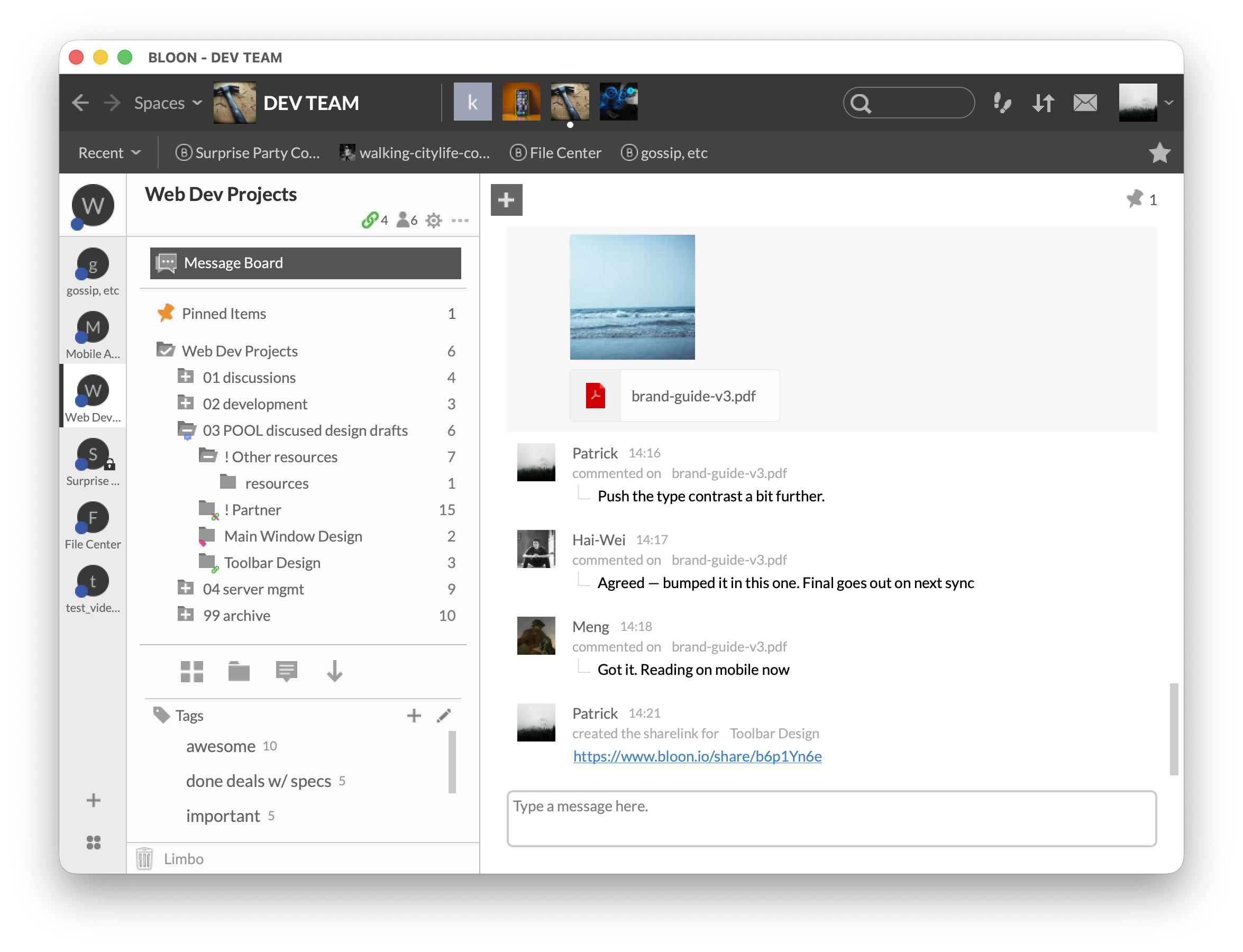
Every bloon comes with its own team chat channel.

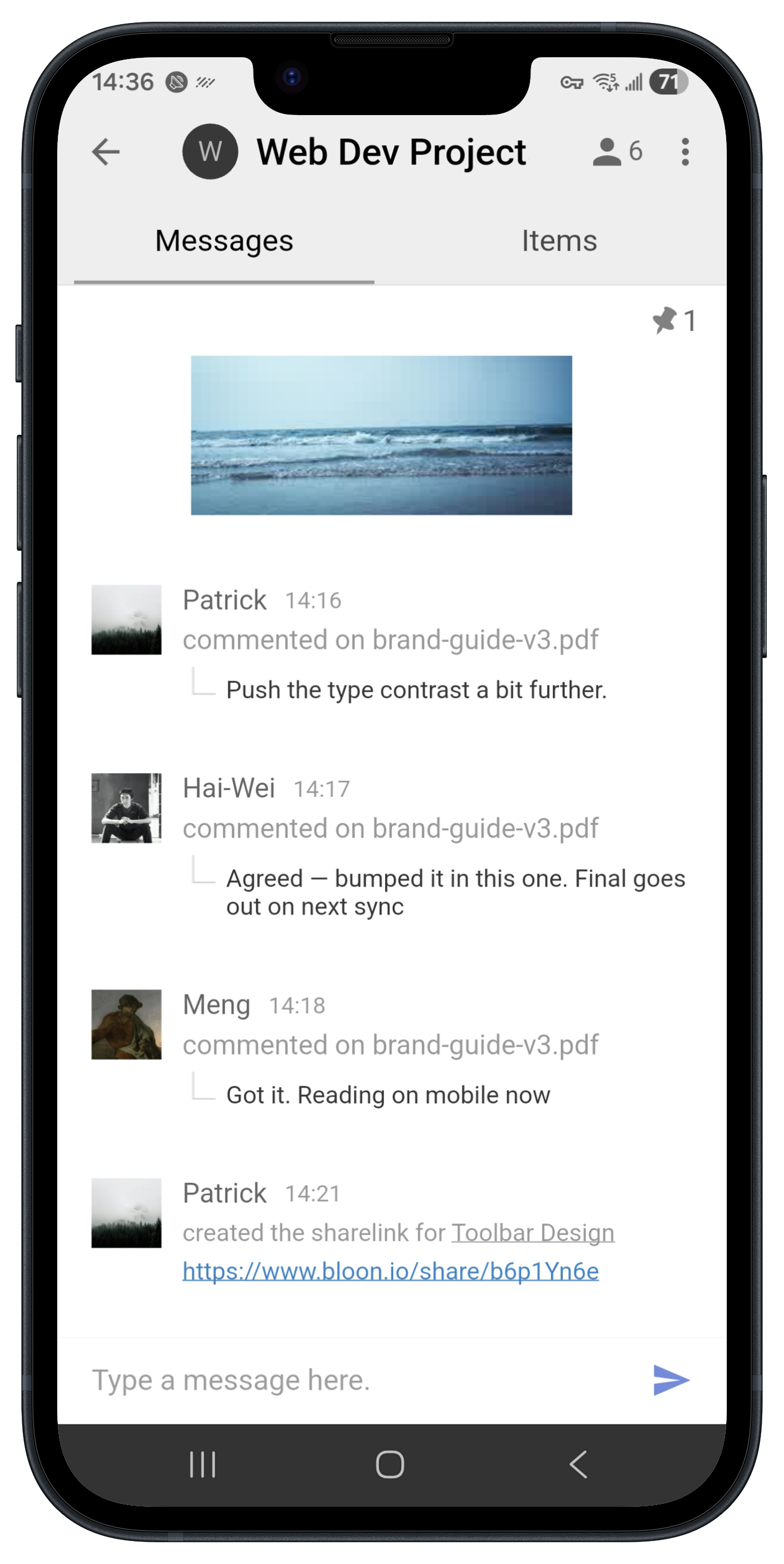
In BLOON, Space is the top-level workspace, and each Space contains multiple bloons. Every bloon comes with its own team chat channel. Teammates discuss, @mention, and share attachments right inside the bloon. The moment a teammate posts, the BLOON App notifies you on your phone in real-time, so the conversation stays tied to the file context without ever opening a separate chat tool on the side.

  • Chat channel tied directly to the bloon — context never leaves the files
  • Real-time alerts on your phone via the BLOON App — never miss a message

Reasons to trust it

Trust isn't a feature — it's the architecture.

BLOON's cloud never keeps your files

Even when files are downloaded through the web app or a Sharelink, nothing is cached or kept in the cloud — your files stay completely private.

AES 256-bit encrypted transfer

Files move with AES 256-bit encryption in transit; metadata moves through SSL / TLS.

Your own machine is the server

BLOON turns your Mac or PC into the server itself — so as long as it's on and online, you reach your files from anywhere. A private cloud you own, not space you rent.

Every share on your terms

One file can carry several Sharelinks, each with its own expiry. Recipients download straight from your computer — no account to create, no copy left in the cloud.

All of it, straight from your own computer

Turn the machine you already trust into your private cloud.

Same work, same files — now running from a machine that's truly yours. Download BLOON and feel the difference.

This website uses cookies. Cookies help us to run BLOON right and provide you with the best experience on our site. For more information, please see our Cookie Policy and Privacy Policy. You can disable (or enable) non-essential cookies in Cookie Settings.

Cookie Settings

This website uses cookies. Cookies are small text files that your browser downloads to your computer or mobile device when you visit a website. Cookies help keep BLOON running and ensure the best experience on our site for our users. You can disable (or enable) non-essential cookies below. For more information, please see our Cookie Policy.